A corporate messenger where a conversation turns straight into a result
A decision made in ChatX can be traced back to the conversation it grew out of.
Working prototype
Working today: messaging and tasks with a board, an execution calendar, meetings with minutes and decisions, a wiki and a company structure with roles. Next: a passing full test run, acceptance on a test company and a pilot. As of 24 November 2026 the public demo is offline (503); we show the system on request. Full scope of work: section 07.
Summary
- Discussion happens in chat, the task sits in a tracker, approval goes by email. One decision is spread across several systems.
- A month later, no one can show where it was taken or how it ended.
- ChatX keeps the whole chain, from a remark in chat to an accepted outcome.
01 — Diagnosis
The decision lives in the conversation; the task answers for it
Work runs across several services: a messenger, a tracker and meeting recording. Each does its own job, and nothing connects them.
-
A gap between conversation and task
The decision is taken in discussion and logged separately in the tracker. Only the person who created the task knows the link.
-
A meeting leaves no trace
Agreements stay in participants’ memories. A month later, a dispute over the wording of a decision cannot be settled.
-
Access follows chats, not structure
Access depends on which chats a person has been added to. The company’s structure changes; access stays the same.
Result: the company cannot reconstruct how a decision was reached, and repeats the mistake in the next cycle.
02 — Approach
One chain instead of scattered services
-
A link, not a copy
A task is created from a message and keeps a link to it. A meeting summary leads to the decision and the task. Nothing is carried over by retelling.
-
The server checks permissions
Access is set by a person’s role in the company structure, not by who is in a chat. The interface does not decide what to show.
-
Human confirmation
A minutes item becomes a task only once confirmed. No task is created automatically: the system suggests, and a person decides.
03 — System class
Between a messenger and a task tracker
Today, teams stitch their work together from several classes of product: messengers (Slack, Telegram), task trackers (Jira, Asana, Linear) and meeting-recording services (Otter, Fireflies, Zoom AI Companion). Each covers its own part and is not connected to the others.
The ChatX column shows the intended scope; readiness is in section 07. Linking a meeting, a decision and a task is the reason the product exists: none of these classes covers it.
04 — Scope
From decision to accepted outcome
Each step refers to the previous one, so the chain can be walked back from the outcome to the conversation.
- Conversation
- Meeting and minutes
- Decision
- Task
- Execution
- Confirmation
- Acceptance of the outcome
05 — Org structure
The company is a tree, not a staff list
In most services, job title and department are text fields in a profile and have no effect on permissions.
-
Departments as objects
Company, department, division and team are nodes in a tree, not a caption under a name.
-
Responsibility is assigned
Every node has an owner and someone who changes its membership. Delegation is a separate permission.
-
Structure sets visibility
A closed department is visible only to its members; the membership of a branch is changed by the assigned manager or a delegate.
06 — Interface
The prototype in action
A video and screens of the working prototype: messaging, tasks, meetings. It is no longer a concept: you can follow the chain from conversation to task on screen. The layout is checked automatically at three widths: 1440, 768 and 390 px.
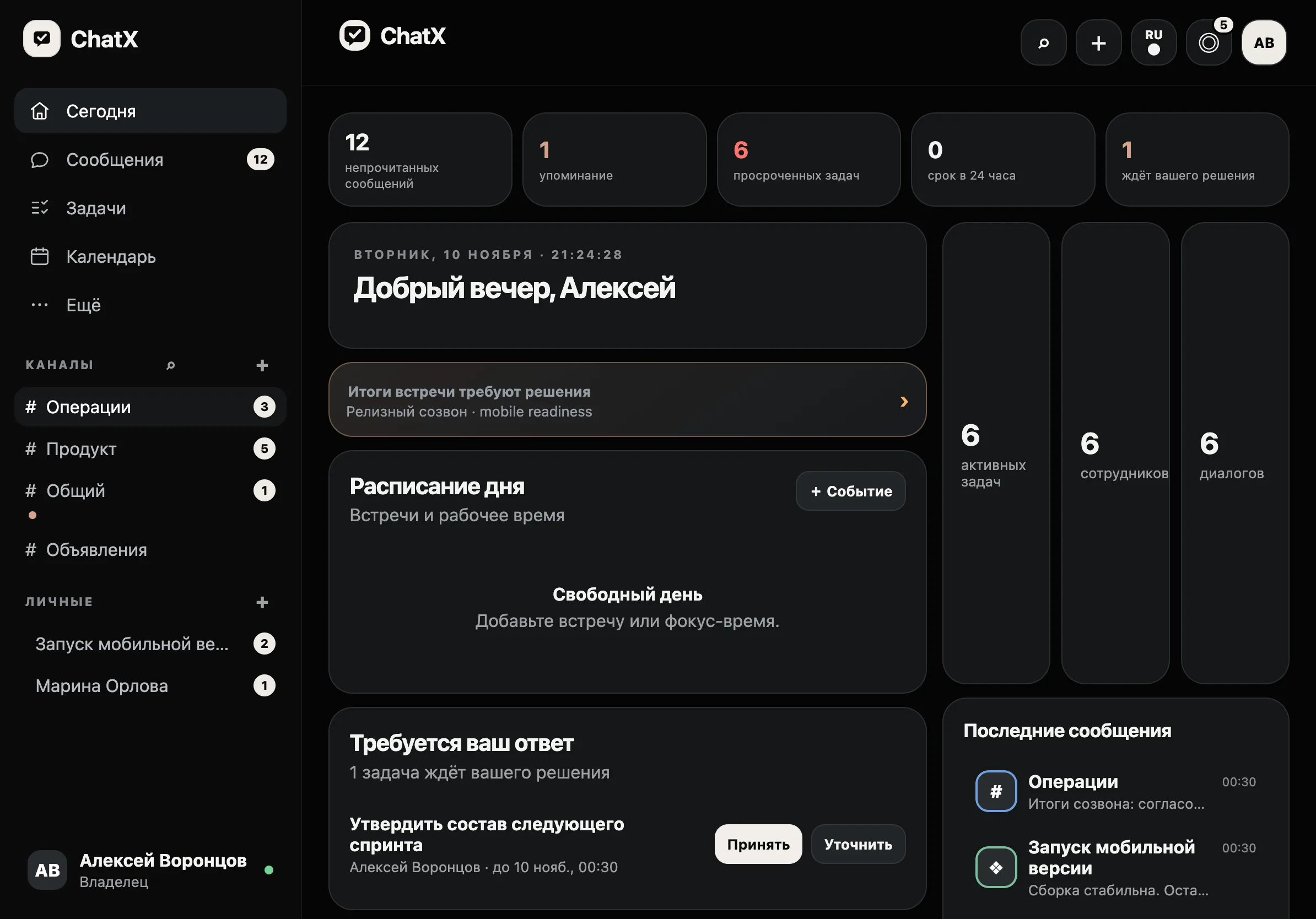
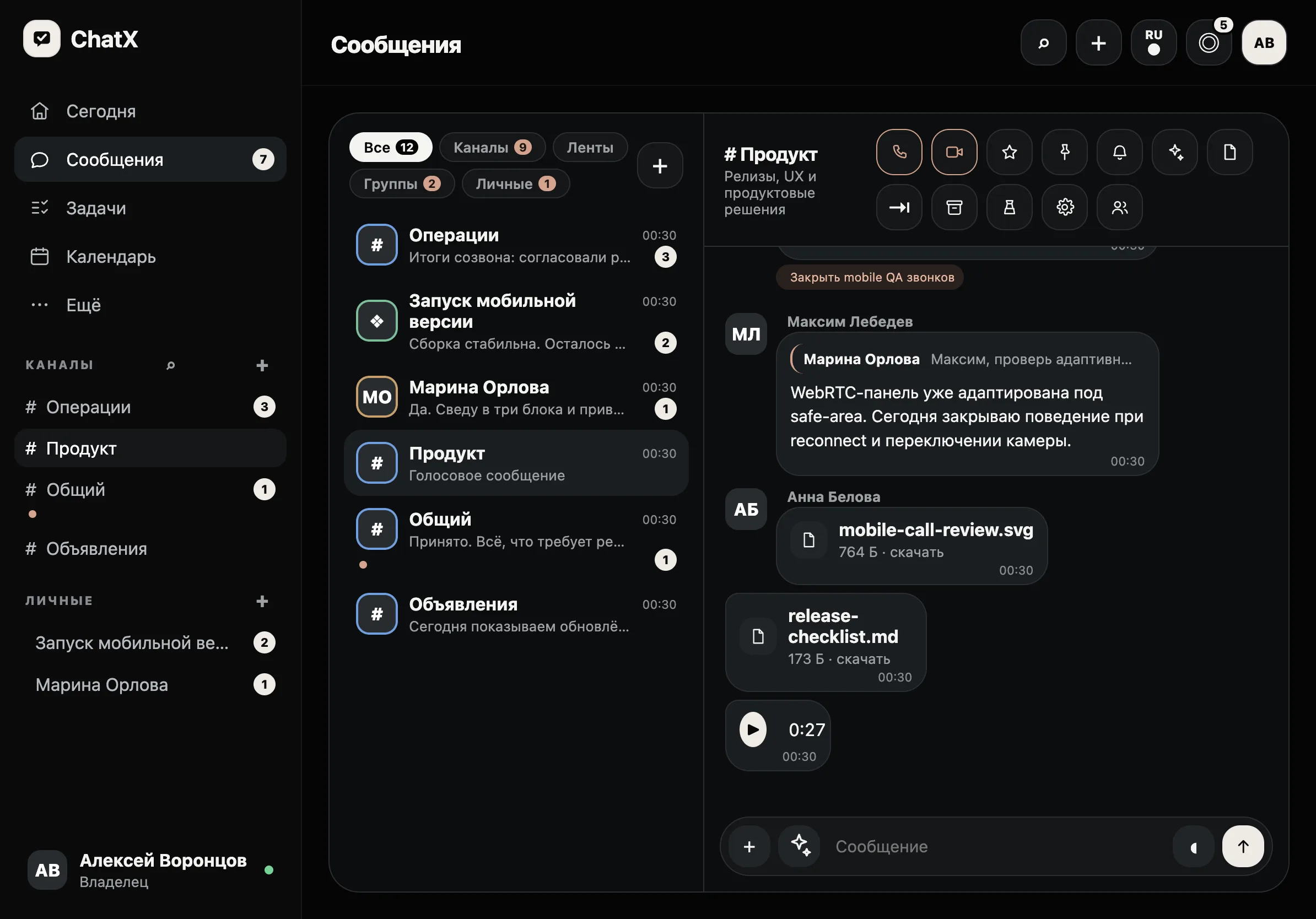
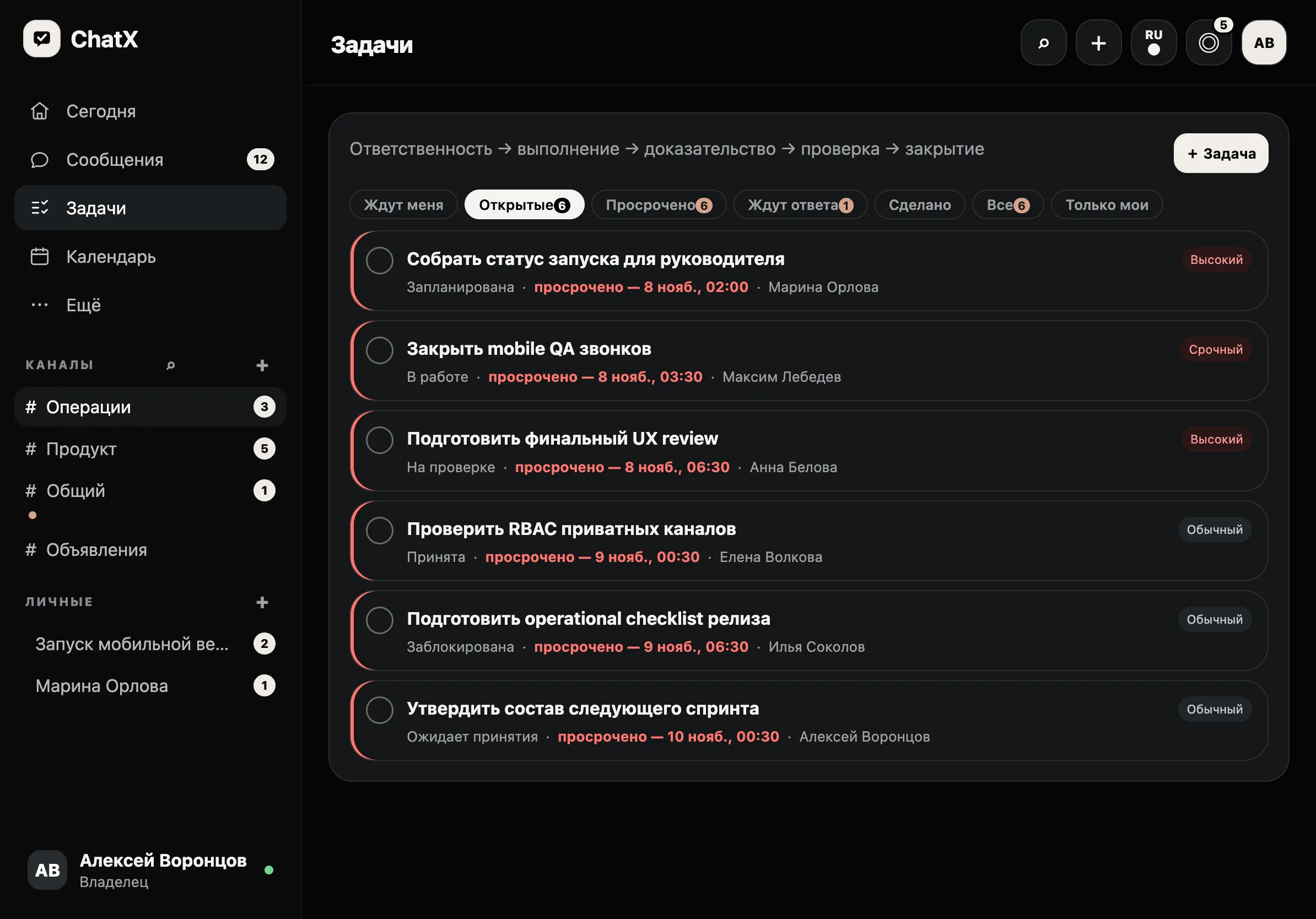
Tap a screenshot to open it full screen and flick through the rest. The frames were taken in the demo on illustrative data.
07 — Stage
A working prototype: no pilot yet
08 — Participation
How to take part
We provide access to the system, migration of structure and data, and priority in the development queue.
We expect part of your real work to run in the system, and feedback as you go rather than at the end.
We show how the system is built and the roadmap in person.
09 — FAQ
Frequently asked questions
- How is this different from a messenger plus a tracker?
- There is no seam between message and task. With a messenger and a tracker they are two separate objects, and the link depends on whoever created the task. Here the system keeps it.
- How does a task come out of a meeting?
- A meeting is run with minutes and decisions. A minutes item becomes a task only after a person confirms it: they accept or reject the suggested task.
- Do we have to move all our work at once?
- No. You can start with one department or project; the rest of the work stays in your existing systems.
- What about integrations?
- Connections to outside services are not yet confirmed as working. The prototype has roles and permissions, an action log, guest access with an end date and outside sign-off through a one-time link. We fit the order of connection to your company.
- Who sees an employee’s activity?
- Each employee chooses who sees their activity, within the company owner’s settings. The server enforces permissions, not the interface.
- Can I see a demo?
- On request. As of 24 November 2026 the public demo is offline (503).
Contact
Tell us which format interests you: early access or rollout. We reply personally.